The Frustrating Reality of Digital Hoarding
Creators often spend years meticulously documenting ideas, research, and project notes inside Notion. Most of that knowledge eventually disappears into a digital void because traditional search is remarkably bad at finding context. You remember writing a brilliant paragraph about modular synth design three months ago, but searching for 'synth' returns forty different pages. Finding the exact thought requires clicking through endless sub-pages while your creative momentum evaporates.
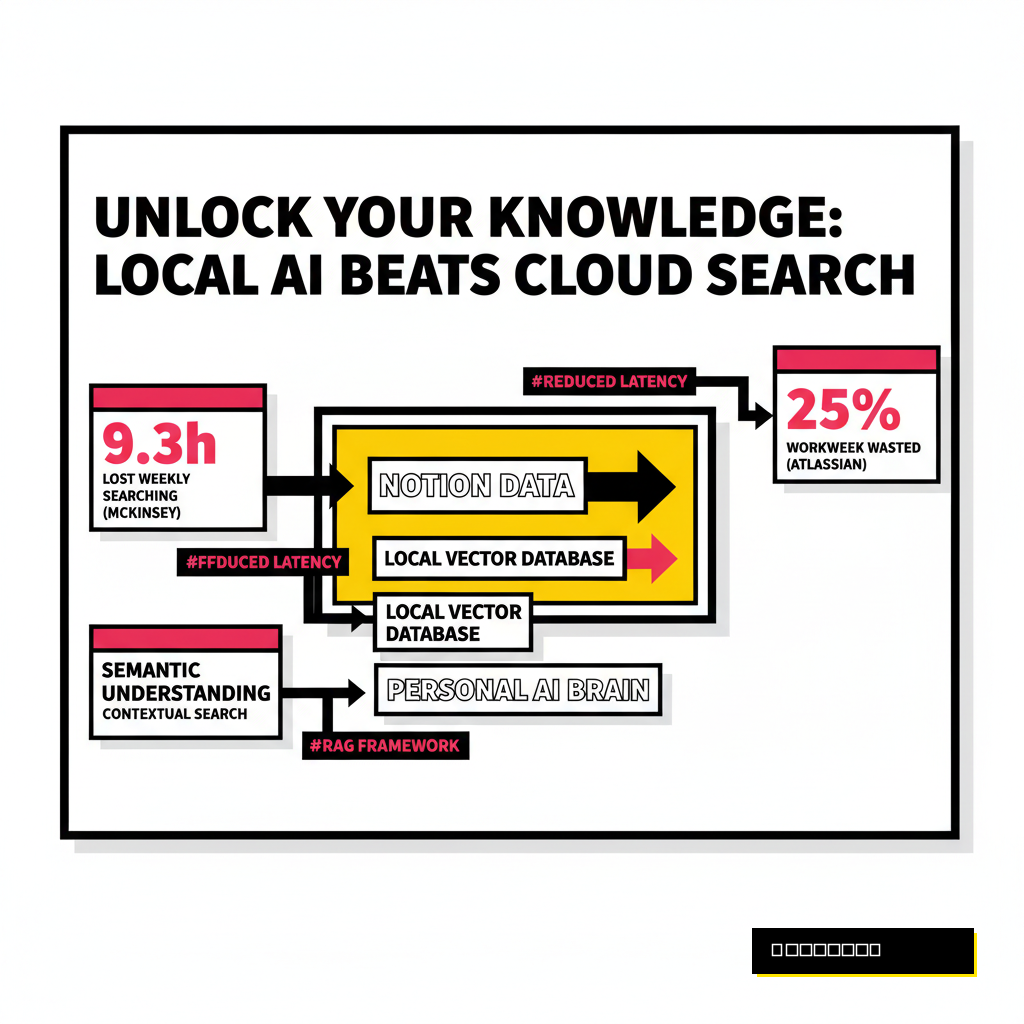
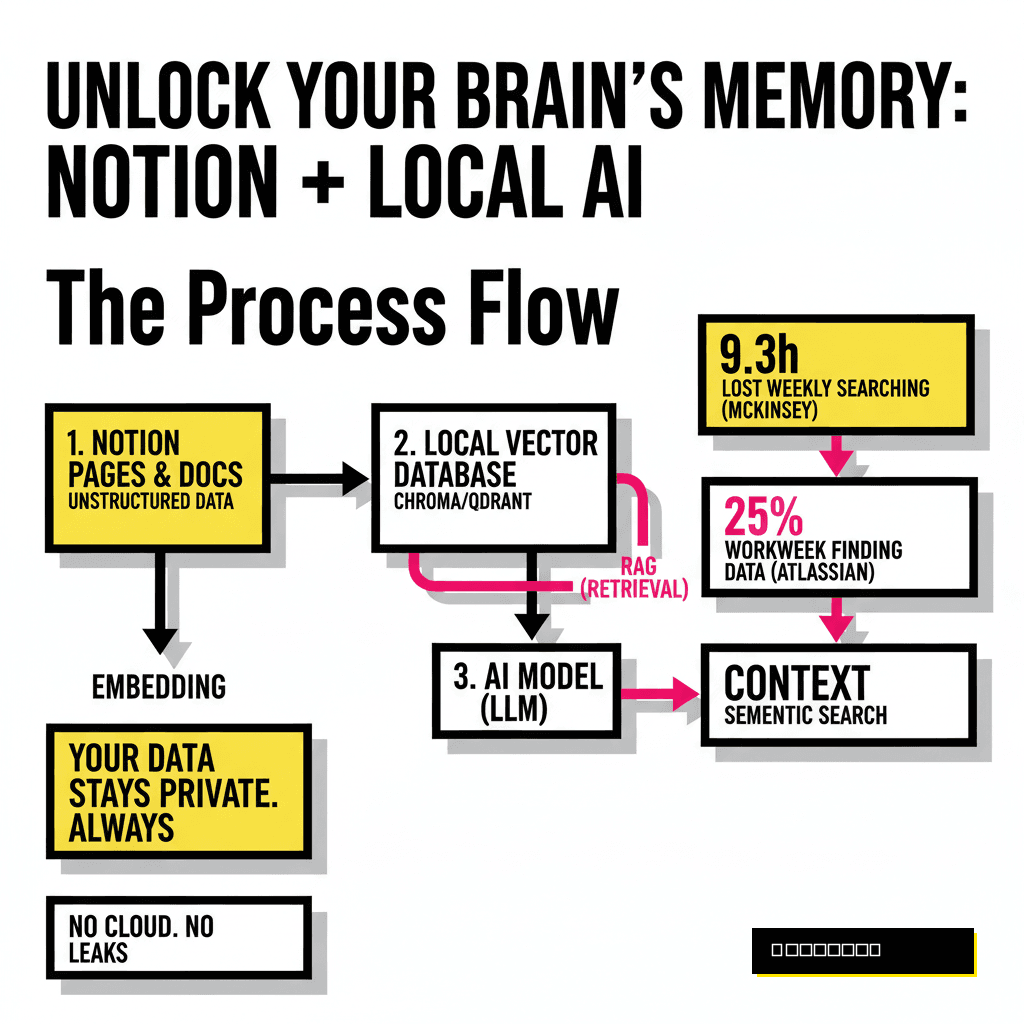
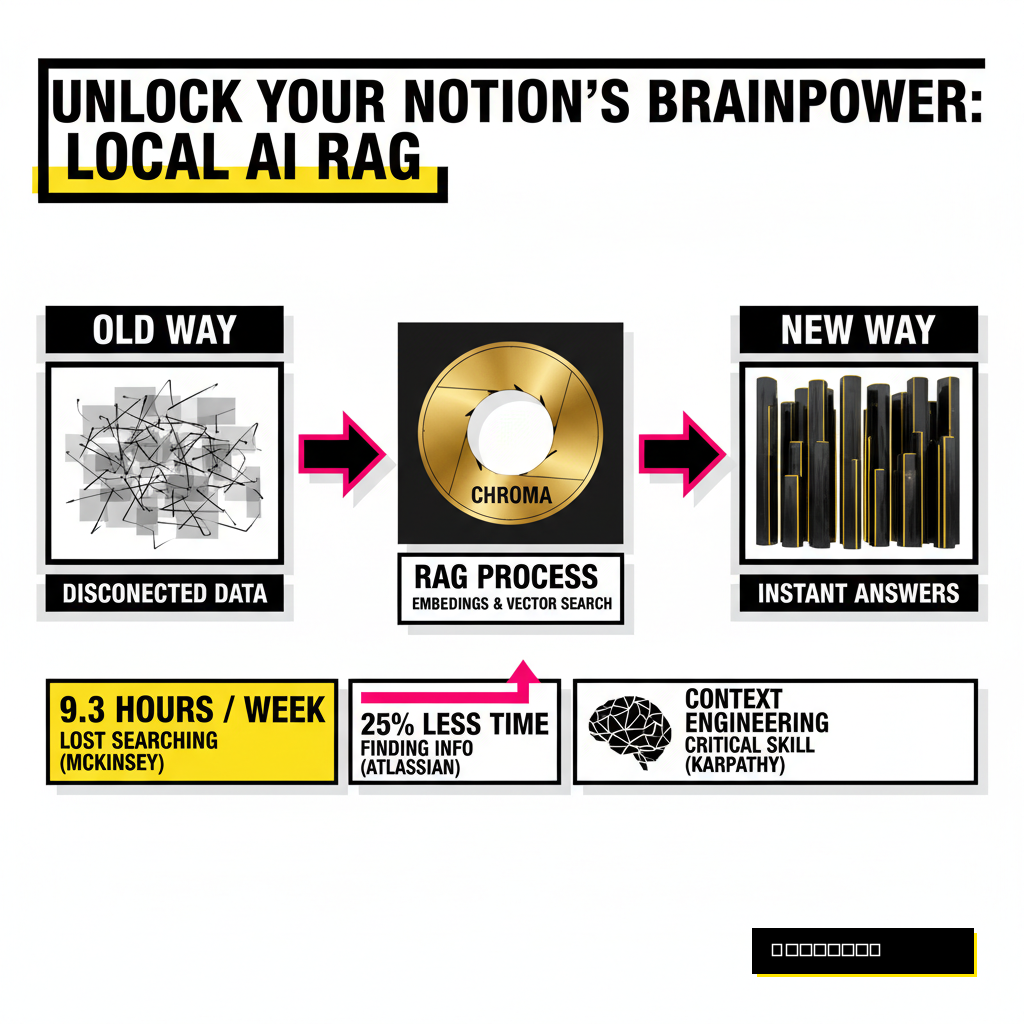
According to a 2025 Atlassian study, knowledge workers waste approximately 25% of their workweek just trying to find relevant data across their various systems. This inefficiency is not just a minor annoyance. It represents a massive drain on cognitive energy that could be spent creating. Instead of functioning as an extension of your mind, your Notion workspace often feels like a graveyard of half-remembered insights.
Personal AI brains offer a solution by moving beyond keyword matching. By syncing your Notion data with a local vector database, you create a system capable of semantic understanding. This means you can ask your 'brain' questions in plain English and receive answers based on the specific context of your own writing. Privacy remains a top priority here, as keeping the database local ensures your intellectual property never leaves your machine.
Why Local Vector Databases Outperform the Cloud
Cloud-based AI assistants are convenient, but they come with significant trade-offs regarding latency and data ownership. Every time you query a cloud-hosted model about your private notes, you are sending personal data to a third-party server. Local vector databases like ChromaDB or Qdrant allow you to maintain absolute control over your information while providing lightning-fast retrieval speeds.
Retrieval-Augmented Generation (RAG) is the technical framework that makes this possible. Essentially, your Notion pages are converted into numerical representations called embeddings. These embeddings are stored in a vector database, which allows an AI model to 'look up' the most relevant pieces of your notes before generating a response. Andrej Karpathy, a leading figure in the AI space, recently noted that 'context engineering' is becoming the most critical skill in the industry. He describes it as the delicate art of filling the AI context window with exactly the right information for the task at hand.
Productivity gains from this setup are measurable. Research from the McKinsey Global Institute indicates that employees spend an average of 1.8 hours every day searching and gathering information. Implementing a local AI brain can reclaim a significant portion of that time. You no longer need to remember where a note is stored; you only need to remember what the note was about.
Selecting Your Personal AI Tech Stack
Building a custom brain requires a few specific tools to handle the data pipeline. You need an interface to pull data from Notion, a model to create embeddings, and a place to store those vectors. Python remains the gold standard for this type of orchestration due to its extensive library support. Using libraries like LangChain or LlamaIndex simplifies the process of connecting these disparate parts into a cohesive system.
ChromaDB is often the best choice for creators because it is lightweight and runs directly in your Python process. Other options like Qdrant offer more robust features for scaling, but they usually require running a separate Docker container. If you want a setup that is easy to share or move between machines, ChromaDB provides the path of least resistance. For the actual 'brain' power, Ollama allows you to run powerful Large Language Models (LLMs) like Llama 3 or Mistral entirely on your local hardware.
Deciding between these tools depends on your technical comfort level and your hardware specs. Modern Mac M-series chips or PCs with dedicated NVIDIA GPUs can handle most local embedding tasks with ease. If you are already comparing development environments, you might find our guide on Cursor vs. Copilot Workspace helpful for writing the sync scripts effectively. Choosing the right foundation now prevents headaches when your database grows to thousands of entries.
| Tool Type | Recommended Option | Best For |
|---|---|---|
| Vector Database | ChromaDB | Simplicity and local-first prototyping. |
| Embedding Model | BGE-M3 (Local) | High accuracy across multiple languages. |
| LLM Runner | Ollama | Running open-source models with one command. |
| Orchestrator | LlamaIndex | Advanced data retrieval and Notion connectors. |
The Sync Process: From Notion to Vectors
Connecting Notion to your local database starts with the official Notion API. You must create an internal integration at developers.notion.com to generate a secret token. This token acts as the key that allows your script to read your pages and databases. Once the integration is created, you need to share specific Notion pages with it, or the API will see an empty workspace. Keeping permissions granular is a smart move for maintaining data security.
Data extraction is the next hurdle. Notion stores content in blocks, which can be messy to parse. A standard sync script will iterate through your databases, extract the text from every block, and clean it of unnecessary metadata. This cleaned text is then broken into smaller chunks, typically around 500 to 1,000 tokens each. Small chunks are better because they allow the AI to pinpoint the exact sentence or paragraph that answers your query rather than returning a massive, irrelevant page.
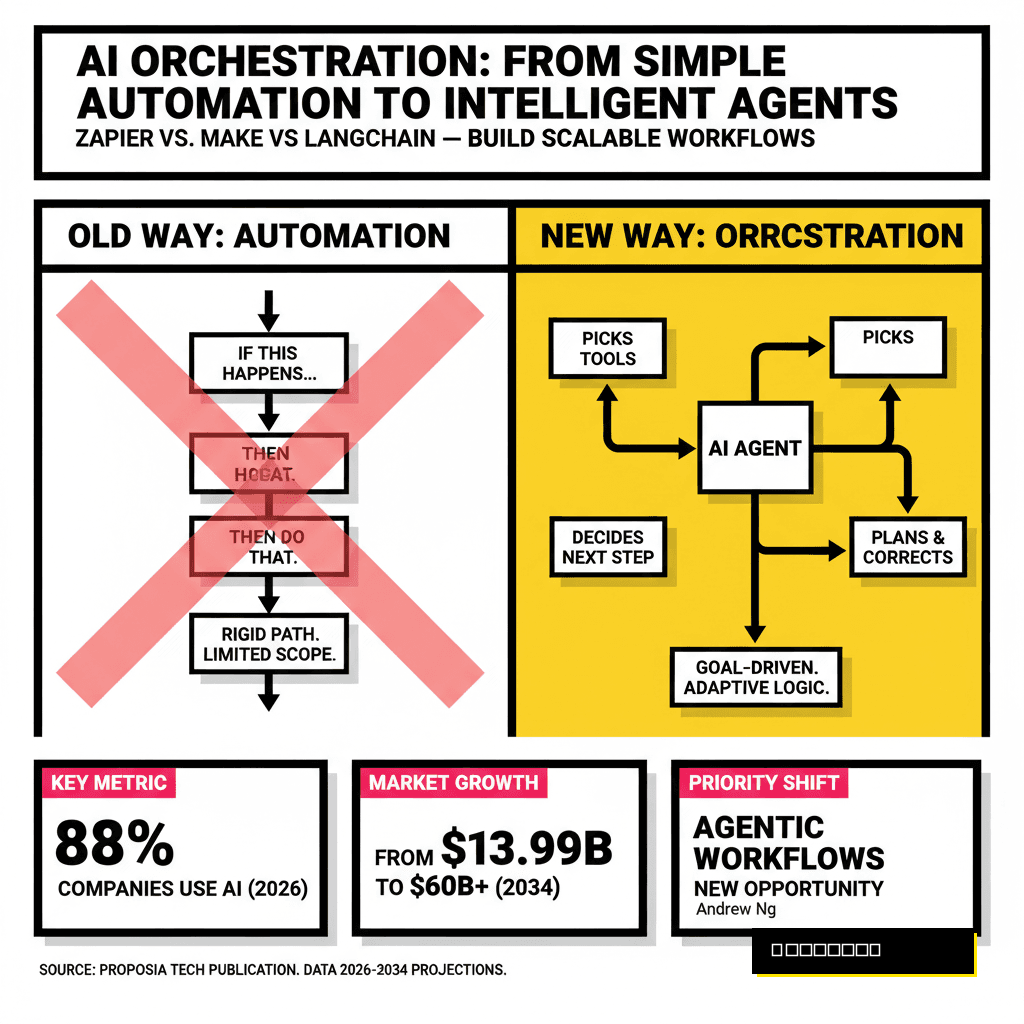
Orchestration tools can automate this entire workflow. If you prefer low-code solutions, you might consider our comparison of Zapier vs. Make vs. LangChain to see which fits your style. For a truly local setup, a simple Python script running on a cron job is often the most reliable method. It checks for updated pages every hour and pushes the new data into your ChromaDB collection, ensuring your AI brain is always current.
Querying Your Knowledge Base
Interaction is where the magic happens. Instead of a search bar, you now have a conversational interface. When you ask a question like, 'What were my key takeaways from the meeting about the brand refresh?', the system performs a semantic search. It looks for vectors in your database that are mathematically similar to the meaning of your question. This goes far beyond just looking for the words 'brand' or 'refresh'.
Local LLMs are surprisingly capable at this task. Using Ollama to run a model like Llama 3 8B provides a fluid experience without any monthly subscription fees. The model receives your question plus the top three or four chunks of text retrieved from your Notion database. It then synthesizes this information into a coherent answer. Because the model is running on your own CPU or GPU, the response feels instantaneous and private.
Optimizing this interaction requires a bit of experimentation with chunk sizes and overlap. If chunks are too small, they might lose context. If they are too large, the model might get distracted by irrelevant details. Most creators find that a 10% overlap between chunks ensures that no important information is lost at the boundaries. This setup transforms your notes from a static archive into a dynamic partner in your creative process.
Keyword Search
- Matches exact characters only.
- Returns entire pages.
- Fails if you forget specific terms.
- Static and non-conversational.
Semantic AI Brain
- Matches concepts and intent.
- Returns specific, relevant snippets.
- Works with vague descriptions.
- Conversational and context-aware.
Future-Proofing Your Personal Intelligence
Ownership of your data is the ultimate competitive advantage in the AI era. As third-party platforms change their terms of service or pricing models, having a local copy of your knowledge graph ensures you are never locked out of your own thoughts. This local-first approach also prepares you for the next wave of 'agentic' AI, where autonomous assistants will perform tasks based on your historical data and preferences.
Maintaining this system is easier than it sounds. Once the sync pipeline is established, you simply continue using Notion as you always have. The background process handles the heavy lifting of indexing and embedding. You might even find yourself writing more detailed notes, knowing that every word is being woven into a searchable neural web. This shift in mindset from 'documenting' to 'training' changes the way you value your own digital output.
Building a personal AI brain is a significant step toward digital sovereignty. It moves you from being a consumer of generic AI to a master of your own specialized intelligence. As the volume of digital information continues to explode, the ability to instantly recall and synthesize your own unique perspectives will be what sets high-level creators apart. Your future self will thank you for the foresight to start building this bridge today.