The Shift from Autocomplete to Agentic IDEs
The developer landscape in May 2026 looks nothing like the era of simple tab-completions. We've moved past the novelty phase where seeing a function body appear was enough to impress. Today, senior engineers manage complexity through agentic orchestration. Two giants dominate this space: Cursor, the AI-native fork of VS Code, and GitHub Copilot Workspace, the task-oriented evolution of the world's most popular coding assistant. Choosing between them isn't about which one writes a better for-loop anymore. It's about how they handle massive context, multi-file refactors, and the evolving economics of usage-based billing.
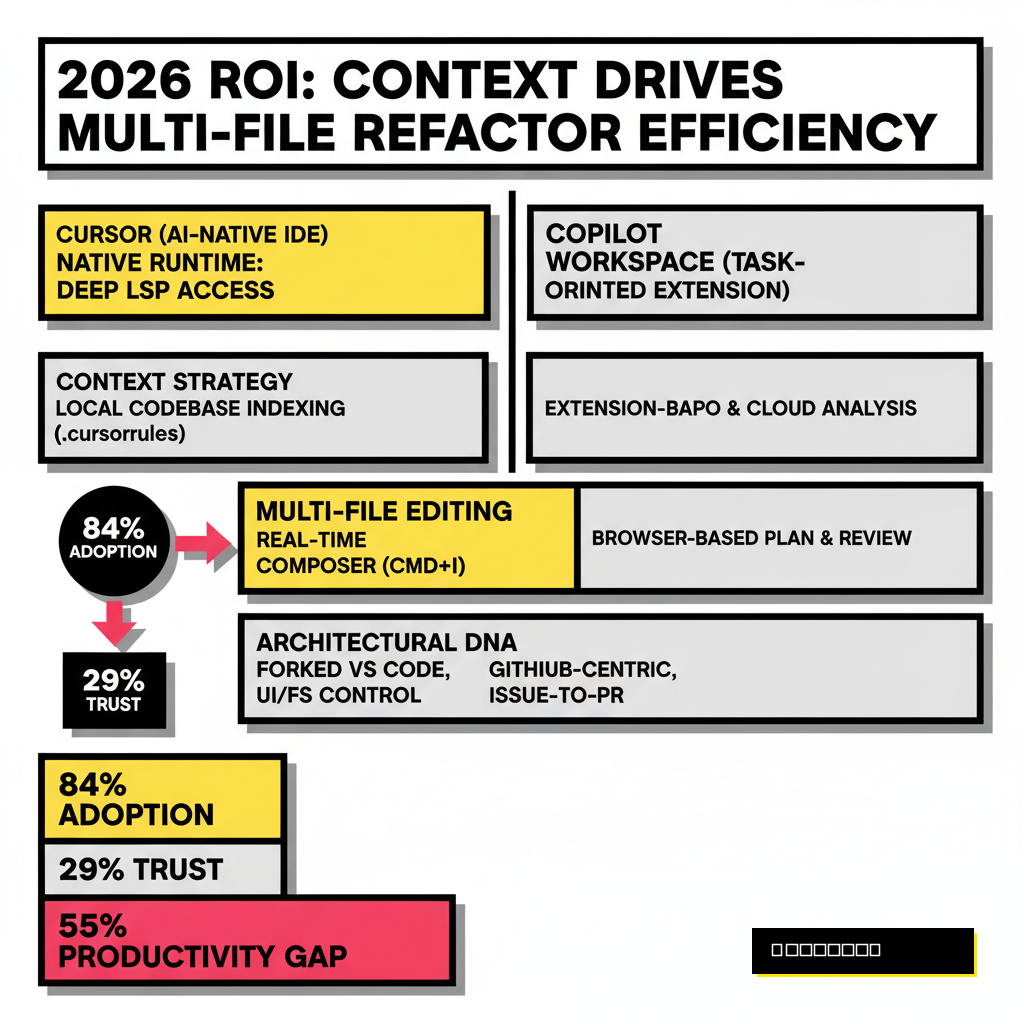
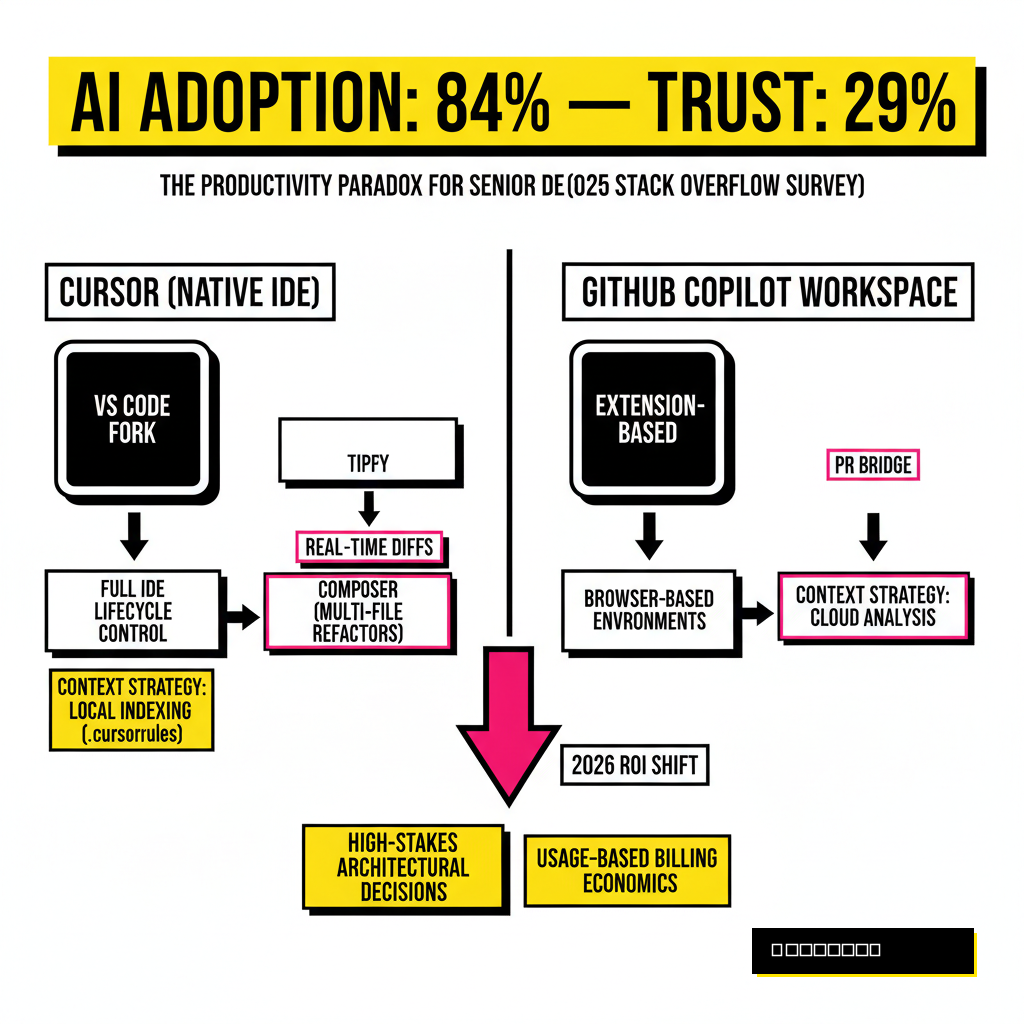
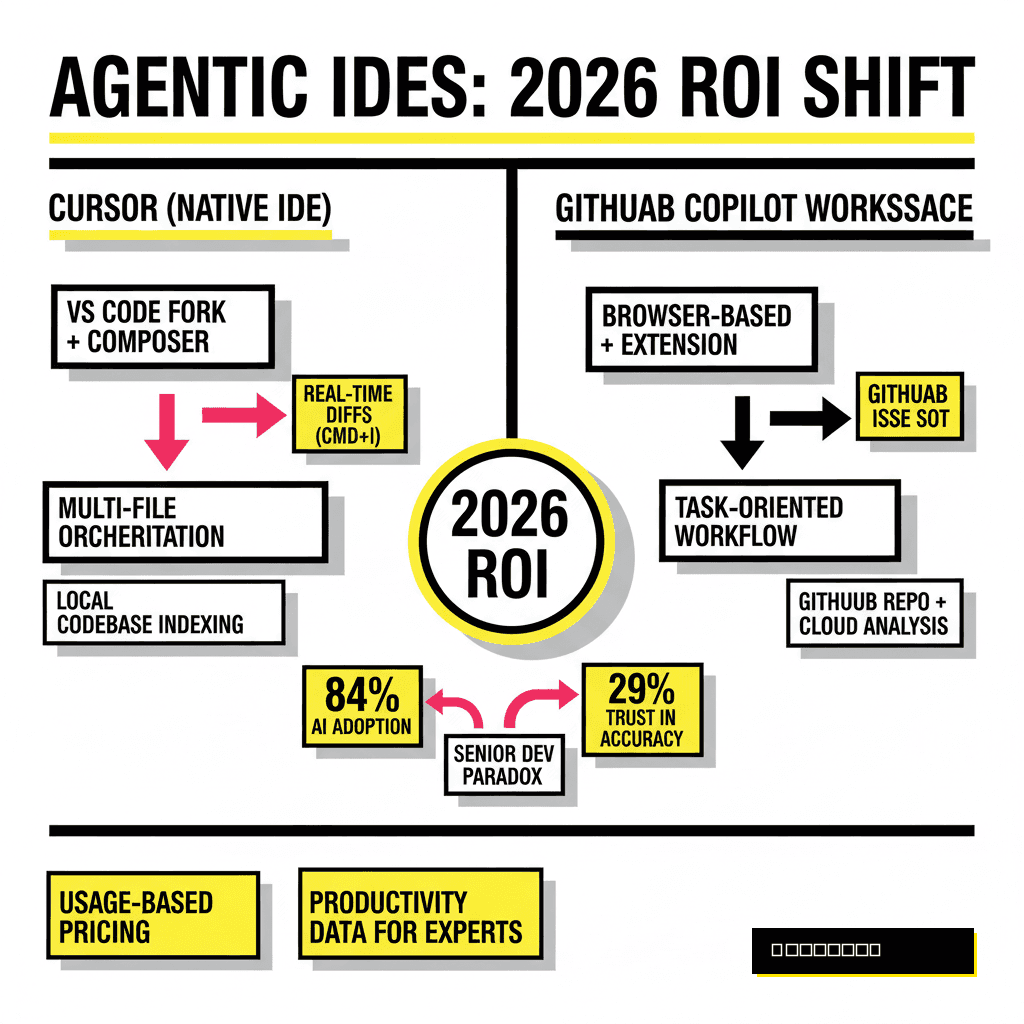
Senior developers often find themselves in a productivity paradox. While AI adoption reached 84 percent in the 2025 Stack Overflow Developer Survey, trust in the accuracy of that output plummeted to 29 percent. This gap exists because senior work involves high-stakes architectural decisions rather than boilerplate. You aren't looking for a tool that writes code; you're looking for a tool that understands your entire repository well enough to not break production. This distinction defines the ROI for high-level engineers who spend more time auditing AI slop than writing original logic.
Architectural DNA: Extension vs. Native Runtime
Cursor operates as a standalone editor because its creators at Anysphere realized that an extension cannot fully control the IDE lifecycle. By forking VS Code, Cursor gains direct access to the UI and the file system. This allows for features like Composer, which applies diffs across dozens of files simultaneously without the latency of an API bridge. When you rename a shared interface, Cursor sees every downstream dependency and updates them in a single sweep. This native integration reduces the cognitive load of tracking side effects in large codebases.
GitHub Copilot Workspace takes a different path. It treats the GitHub issue as the source of truth. Instead of living solely in your local editor, Workspace provides a browser-based environment where you can generate a plan, review it, and then implement it. It feels like a project management tool that happens to write code. For teams that live in the GitHub ecosystem, this provides a seamless bridge from a Jira ticket to a Pull Request. However, the extension-based nature of the desktop version still creates a slight barrier in multi-file coordination compared to Cursor's runtime integration.
| Feature | Cursor (Native IDE) | GitHub Copilot Workspace |
|---|---|---|
| Context Strategy | Local codebase indexing (.cursorrules) | GitHub repo indexing & cloud analysis |
| Multi-file Editing | Real-time Composer (Cmd+I) | Plan-based batch application |
| Model Choice | Claude 3.5, GPT-4o, Custom models | GPT-4o, Claude 3.5 (via Pro/Enterprise) |
| Workflow Hook | Local development flow | GitHub Issues and Pull Requests |
Senior devs migrating from traditional setups might find the Migrating SQL to Vector-Native Search guide useful for understanding how context indexing works under the hood. Just as vector search revolutionized data retrieval, Cursor's local indexing allows it to 'know' your project structure better than an extension that only sees the active tab. This local awareness is why many experts prefer Cursor for deep refactoring work where the AI needs to understand the relationship between a React component and a legacy backend service.
The 2026 Economics of Efficiency
Pricing for AI tools reached a turning point on June 1, 2026. GitHub shifted Copilot to a usage-based billing model using AI Credits. While the base subscription stays at $10 for Pro and $39 for Pro+, these plans now include a fixed allotment of credits tied to token consumption. A simple autocomplete might cost a fraction of a cent, but a two-hour agentic session using Claude 3.5 Sonnet or GPT-5 can burn through a monthly allotment quickly. For the senior dev who relies on heavy multi-file orchestration, this makes Copilot's costs less predictable than they were a year ago.
Cursor maintains a more traditional Pro tier at $20 per month. This flat fee covers unlimited low-latency completions and a generous quota for state-of-the-art models. For individual contributors, the ROI calculation is straightforward. If Cursor saves you just 30 minutes of debugging per month, it has paid for itself. According to a February 2026 McKinsey report, top-performing engineering teams are achieving up to 30 percent improvements in time-to-market by embedding these tools into their lifecycle. When you're billing $150 an hour, a $10 price difference between tools is statistical noise compared to the value of staying in a state of deep flow.
Large organizations are taking notice of these efficiencies. In our analysis of Automating the Audit: How JPMorgan Saved 45,000 Hours, we saw how enterprise-scale automation requires tools that integrate with existing security protocols. GitHub Copilot has a massive lead here. Its Enterprise tier ($39/user) includes SOC2 compliance and IP indemnity that most legal departments demand. Cursor is catching up, but for a dev at a Fortune 500 company, the decision might be made for you by the procurement team's preference for Microsoft's ecosystem.
Workflow: Issue-to-PR vs. Local Mastery
Copilot Workspace shines when the task is clearly defined in a GitHub Issue. It allows you to generate a technical specification, visualize the plan, and then spin up a cloud-hosted environment to implement it. This is particularly powerful for open-source maintainers or teams with a high volume of small, discrete tasks. You can literally 'vibe code' your way from a bug report to a pull request without ever opening a local terminal. This workflow minimizes the context switching that usually kills productivity in mid-sized teams.
Cursor, conversely, is for the developer who wants to stay in the zone. Its Composer feature isn't about planning; it's about doing. You highlight a block of code, hit a shortcut, and tell the AI to 'refactor this to use the new billing service and update all call sites.' You see the changes happen in real-time across your tabs. For a senior engineer, this feels more like a superpower than a project management tool. It respects your existing environment, including your terminal history and local environment variables, which cloud-based agentic workflows often struggle to access.
The ROI of these workflows depends on your specific role. If you are a Tech Lead who spends 70 percent of your time reviewing code and managing tickets, the Workspace integration with GitHub is unbeatable. It allows you to verify logic and run CI/CD checks before the code even hits your local machine. If you are a Senior Individual Contributor (IC) tasked with building a complex new feature from scratch, the raw speed and deep context of Cursor's local indexing will likely save you more hours over a sprint.
The Trust Gap and Verification Costs
The biggest hidden cost in AI development is the 'verification tax.' As the 2025 Stack Overflow data suggests, developers are increasingly frustrated with AI solutions that are 'almost right but not quite.' This leads to subtle bugs that take hours to track down. Senior devs mitigate this by using tools that allow for granular control. Cursor's 'Autonomy Slider' and its ability to switch between models like Claude 3.5 and GPT-4o on the fly give you the flexibility to use the right brain for the right task. You might use Claude for complex logic and GPT-4o for quick documentation or boilerplate.
GitHub is addressing this trust gap by integrating more verification steps into the Workspace UI. It forces a 'plan review' phase before any code is written. This encourages the developer to think through the architecture before letting the agent loose. For many, this structured approach is a necessary guardrail against the 'hallucination' risks associated with large-scale agentic work. It prevents the AI from going down a rabbit hole of incorrect assumptions that you then have to unpick later.
Cursor Pro
- Deepest local context via RAG indexing
- Native multi-file diffs in Composer
- Flexible model switching (Claude/GPT)
- Best for high-velocity local dev
Copilot Workspace
- Seamless GitHub Issue-to-PR flow
- Standardized enterprise compliance
- Usage-based credits for task scaling
- Best for lead-to-ship management
Ultimately, the ROI of these tools is measured in cognitive endurance. A tool that produces fewer errors and requires less context switching is more valuable than one that is simply faster. For a detailed look at how these technologies are being applied in other fields, check out the official GitHub pricing update and the latest McKinsey analysis on AI productivity. These resources confirm that the market is moving away from generic assistants toward specialized, context-aware partners.
The Verdict: Choosing Your Daily Driver
Choosing between Cursor and GitHub Copilot Workspace shouldn't be a religious war. Many senior devs in 2026 actually use both. They use Copilot for its excellent inline completions and GitHub-native PR reviews, while keeping Cursor open for heavy-duty feature building and refactors. If you have to pick one, let your workflow decide. If you live in VS Code and value the feeling of your IDE being an extension of your own thought process, Cursor is currently the superior tool for senior-level ROI.
If you are part of a large engineering organization where standardization and security are paramount, GitHub Copilot Workspace is the safer, more integrated bet. Its move to usage-based billing might be frustrating for power users, but it reflects the reality of high-compute agentic AI. As we look toward the rest of 2026, the real winners won't be the tools themselves, but the developers who learn to direct these agents with the precision of a master architect.