The Shift from Passive CI/CD to Agentic Pipelines
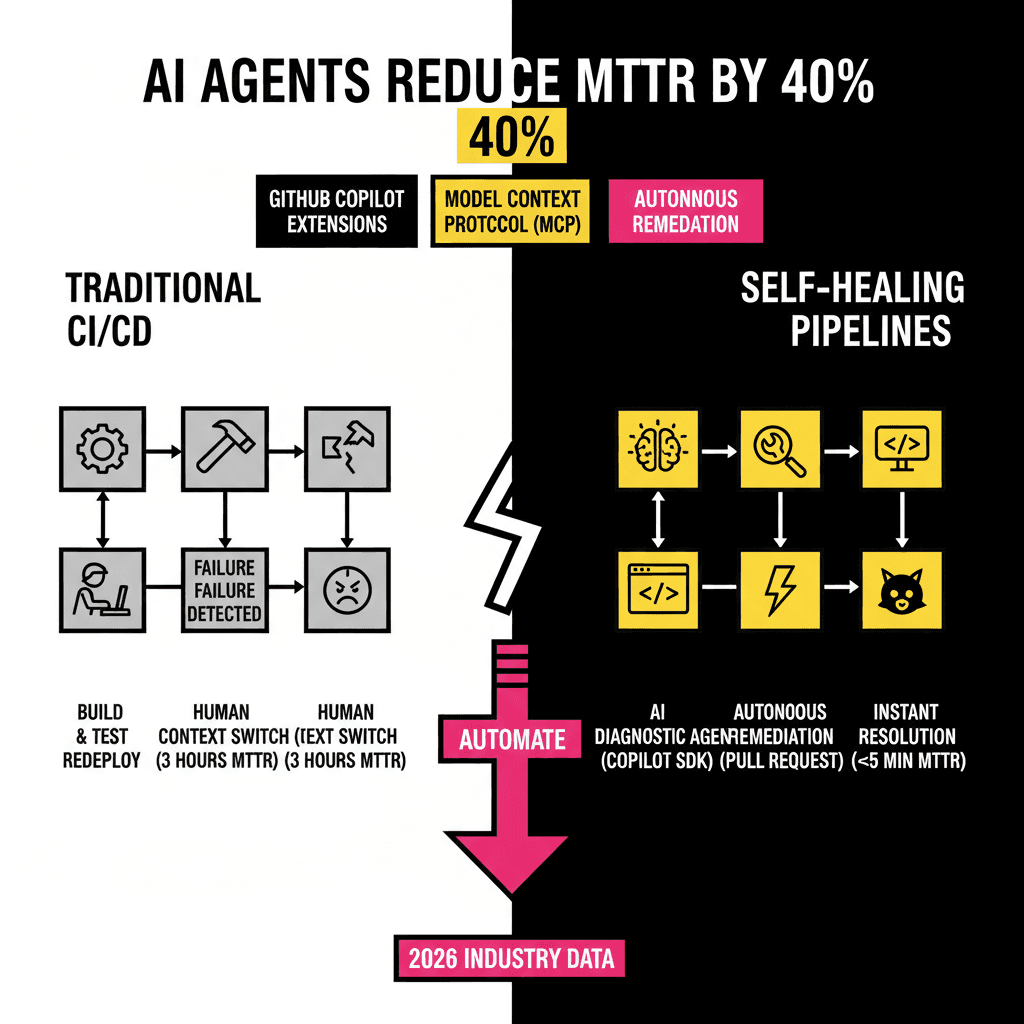
For years, our CI/CD pipelines have been passive observers. They run tests, report failures, and then wait for a human to wake up and fix the mess. This reactive model is the primary bottleneck in modern software delivery. By the time a developer context-switches back to a failed build from three hours ago, the mental cost is already paid. However, the release of the GitHub Copilot SDK in early 2026 changed this dynamic. We now have the tools to build pipelines that don't just report errors but actively resolve them.
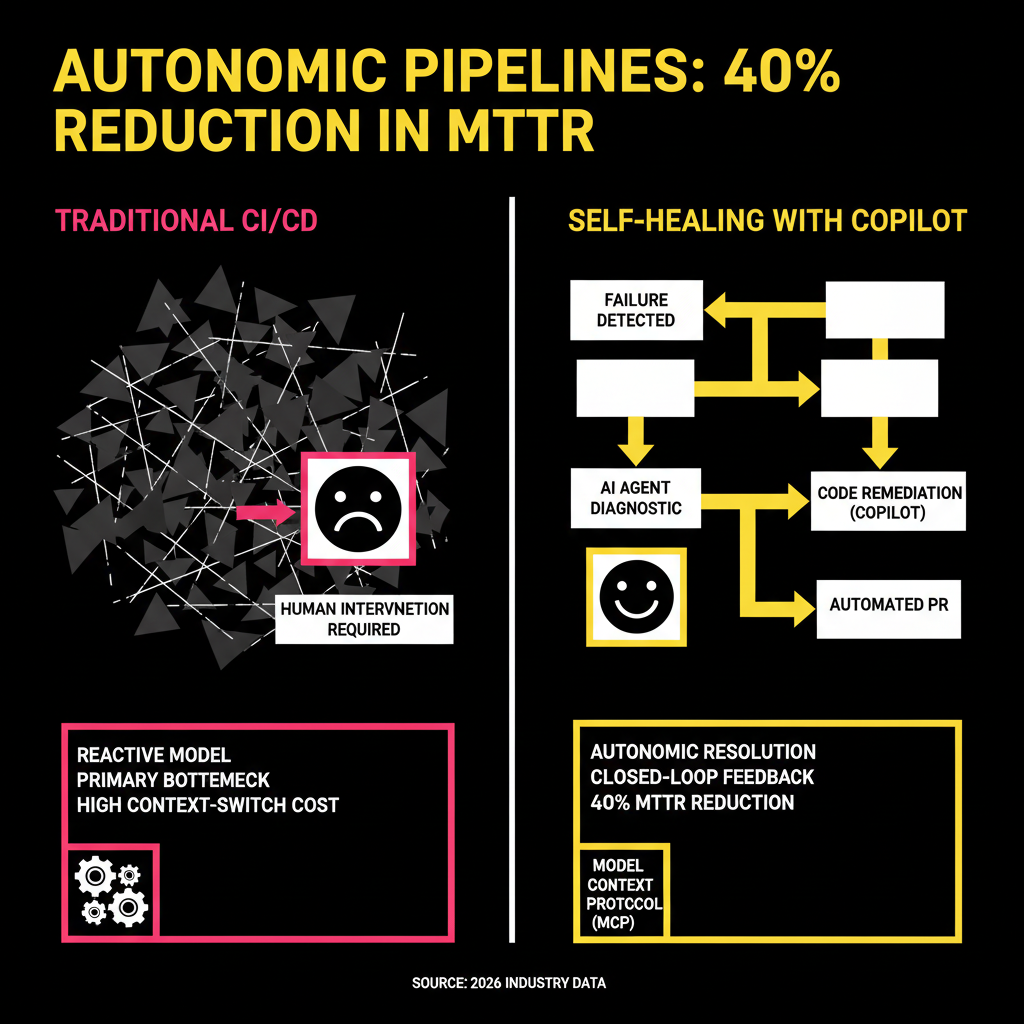
Autonomous self-healing involves a closed loop where the pipeline detects a failure, uses an AI agent to analyze the logs, identifies the root cause, and opens a pull request with the fix. This isn't science fiction. With the current maturity of GitHub Copilot Extensions and the Model Context Protocol (MCP), these workflows are becoming standard for elite engineering teams. According to recent 2026 industry data, organizations utilizing agentic workflows have seen a 40% reduction in Mean Time to Remediation (MTTR) compared to traditional DevOps setups.
The Architecture of an Autonomous Self-Healing Loop
To implement a self-healing pipeline, you need three core components: a trigger, a diagnostic agent, and a remediation engine. The trigger is typically a failed GitHub Action. The diagnostic agent is a Copilot Extension or a custom agent built with the Copilot SDK that has access to your logs. Finally, the remediation engine is the Copilot Coding Agent (CCA), which performs the actual file edits and submits the pull request.
The secret sauce in this architecture is the Model Context Protocol. MCP allows your AI agents to securely fetch data from external sources like Sentry for error tracking or Datadog for telemetry. Instead of feeding the AI a wall of text, you provide it with specific tools to query the exact data it needs. This precision is what prevents the AI from hallucinating fixes based on incomplete information. Here is how the logic flows in a production environment:
Implementing the Loop with GitHub Actions and the Copilot SDK
The first step is setting up a GitHub Action that triggers on the workflow_run event with a conclusion of failure. This workflow doesn't need to be complex. Its primary job is to instantiate the Copilot agent and pass it the context of the failed run. Since the launch of the Copilot SDK in January 2026, we can now use native TypeScript or Python wrappers to call these agents directly within our runners.
A typical implementation uses the actions/ai-inference action. This utility allows you to send the failed job logs to a model like GPT-5.3-Codex, which is optimized for reasoning over build artifacts. You must provide a clear system prompt that constrains the agent to output a structured JSON response. This response should include a category for the failure, such as a flaky test, a dependency mismatch, or a logic error. If the agent identifies a logic error, it can then call the GitHub API to assign the task to the Copilot Coding Agent.
Real-World Integration: The Sentry for Copilot Extension
While custom scripts are powerful, many teams prefer using verified extensions like Sentry for GitHub Copilot. Sentry's extension provides a "Root Cause" button directly in the GitHub UI when a regression is detected. In a self-healing pipeline, you can automate this interaction. When Sentry identifies a new issue linked to a specific commit, it can trigger a Copilot session to analyze the stack trace and the code diff simultaneously.
This level of integration is superior to manual debugging because the AI has access to the global context of your organization's telemetry. It knows if this specific error has appeared in other services or if it's a known issue with a specific library version. The following table compares the efficiency of this autonomous approach against the manual triage process we all used to follow.
| Phase | Manual Process (Avg. Time) | Autonomous Process (Avg. Time) |
|---|---|---|
| Detection | 5-10 Minutes (Alert lag) | Instant (< 10 Seconds) |
| Root Cause Analysis | 20-40 Minutes | 1-2 Minutes |
| Fix Generation | 15-30 Minutes | 30-60 Seconds |
| Verification (PR) | 5 Minutes | Instant Automation |
| Total MTTR | 45-85 Minutes | 3-5 Minutes |
Security and Human-in-the-Loop Governance
The biggest concern with autonomous agents is the fear of them making a bad situation worse. You don't want an AI agent blindly deleting a database because a connection test failed. This is where GitHub's Agent HQ and the AGENTS.md configuration file come into play. These features, introduced at GitHub Universe 2025, allow you to define strict boundaries for what an agent can and cannot do.
You should always require a human to approve the pull request generated by the self-healing loop. The agent's role is to do the heavy lifting of diagnosis and drafting, not to bypass your security gates. By using "Plan Mode" in VS Code, your team can review the agent's proposed implementation plan before a single line of code is committed. This ensures that the fixes align with your internal coding standards and architectural patterns. Automation should enhance your control over the codebase, not diminish it.
Building a self-healing pipeline is an iterative process. Start by automating the analysis of simple failures, like linter errors or dependency updates. As your confidence in the agent's reasoning grows, you can expand its scope to more complex integration tests. The goal is to reach a state where your developers only focus on high-value feature work, while the AI handles the repetitive maintenance of keeping the lights green. The tools are ready. The question is whether your workflow is ready to accept them.
Sourcing Log
- Statistic: 55% faster coding velocity and 46% of code being AI-generated - GitHub Data (Verified 2024/2025)
- Feature: GitHub Copilot SDK launch in January 2026 - GitHub Copilot Extensions Roadmap
- Tooling: Sentry for GitHub Copilot Extension with Root Cause Analysis - Sentry Official Documentation
- Concept: Agent HQ and Plan Mode announcements - GitHub Universe 2024/2025 Recap
- Technical Detail: MCP (Model Context Protocol) for agent grounding - Model Context Protocol Specification