The Democratization of Agency
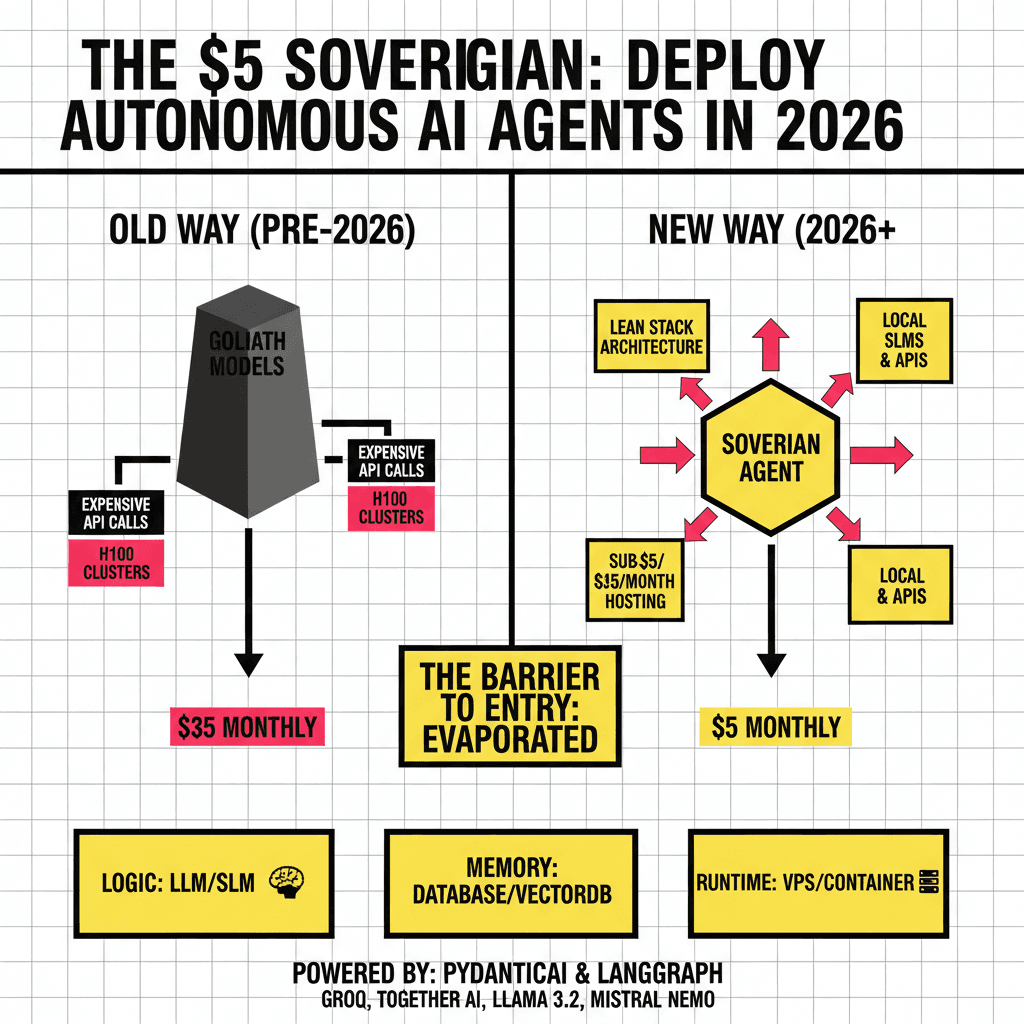
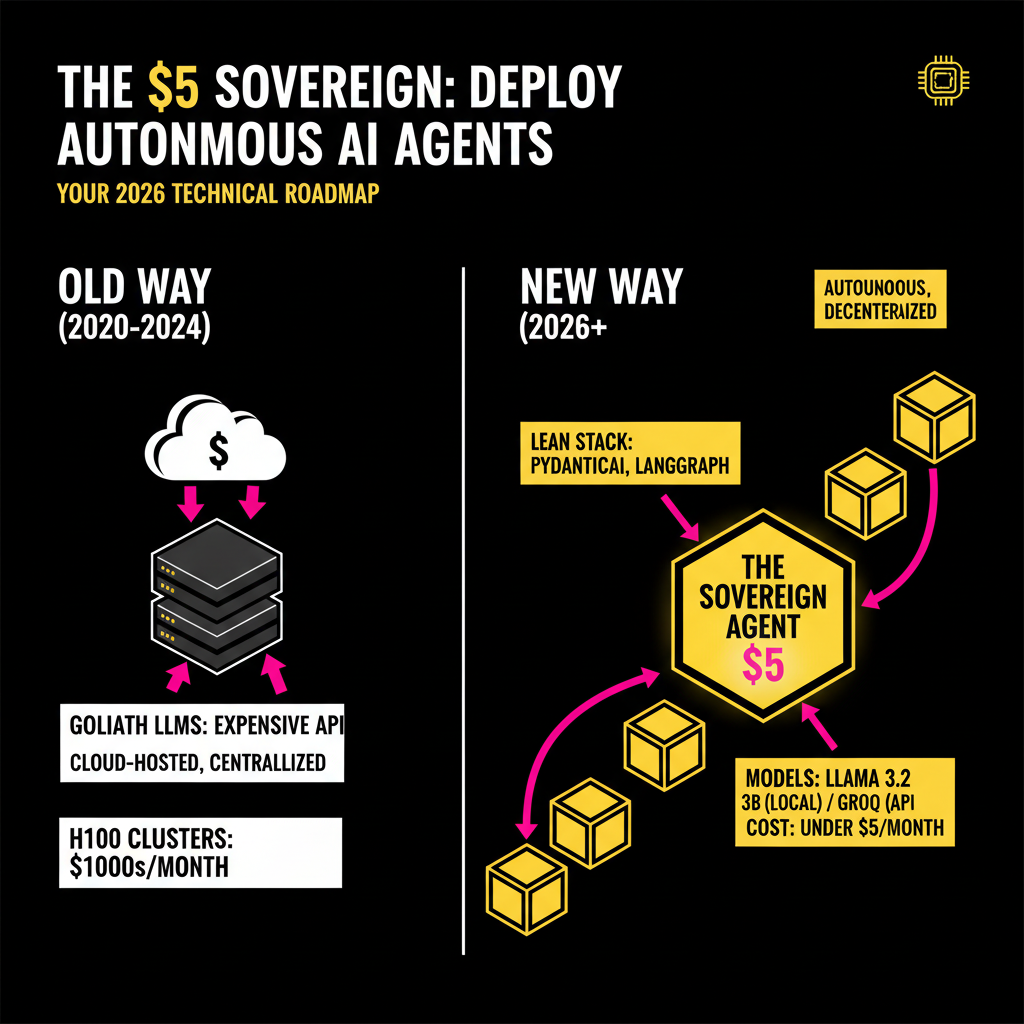
In the early 2020s, the narrative around Artificial Intelligence was dominated by the 'Goliaths'—massive, multi-billion dollar models accessible only via expensive API calls or enterprise-grade hardware. By 2026, the landscape has shifted. We have entered the era of The Sovereign Agent. These are lightweight, specialized, and autonomous entities that don't live in a centralized cloud, but in the lean, mean environments of independent developers.
The barrier to entry has evaporated. You no longer need a cluster of H100s to run a useful agent. With the advent of highly quantized small language models (SLMs) and efficient orchestration frameworks, the cost of hosting a persistent, 'always-on' AI agent has plummeted to under $5 a month. This article is your technical roadmap for building and deploying that first agent, moving from a local script to a globally accessible service.
1. The 'Lean Stack' Architecture
To keep costs low, we must be surgical about our tech stack. We aren't building a general-purpose chatbot; we are building an agent. An agent requires three things: Logic (The LLM), Memory (The Database), and Runtime (The Host).
The Brain: API vs. Local
While running a model locally on your server is the ultimate goal for privacy, it requires significant RAM, which drives up VPS costs. For a $5 budget, the most efficient approach is to use a high-performance, low-cost API like Groq or Together AI for the heavy lifting, or a specialized SLM like Llama 3.2 3B or Mistral NeMo if you decide to host locally on a slightly larger instance.
The Framework: PydanticAI and LangGraph
Forget the bloated frameworks of yesteryear. In 2026, we prioritize type safety and observability. PydanticAI has emerged as the gold standard for production agents, offering a clean, Pythonic way to define agent behaviors and tool-calling schemas without the overhead of older libraries.
2. Selecting Your $5 Hosting Environment
The choice of provider is critical. You need a platform that offers persistent storage, a dedicated IP (optionally), and enough CPU overhead to handle the orchestration logic. In 2026, three providers lead the 'budget-premium' space:
| Provider | Monthly Cost | Best For |
|---|---|---|
| Hetzner (Cloud) | ~$4.50 | Raw performance and dedicated resources. |
| Railway.app | $5.00 (Base) | Rapid deployment and automatic scaling. |
| DigitalOcean Droplet | $4.00 - $6.00 | Beginner-friendly UI and reliable uptime. |
For this tutorial, we recommend Hetzner or Railway. Hetzner provides the best price-to-performance ratio for a VPS (Virtual Private Server), while Railway offers a superior developer experience (DX) by handling Docker containerization for you.
3. The Persistence Layer: Memory for Pennies
An agent without memory is just a stateless script. To make your agent truly autonomous, it needs to remember past interactions and store 'world knowledge.' This requires a Vector Database. In 2026, the 'free tier' economy is robust:
- Supabase (Postgres + pgvector): The best all-rounder. You get a full database, vector search, and authentication for free under a certain usage limit.
- ChromaDB (Local): If you choose a VPS with at least 2GB of RAM, you can run ChromaDB as a sidecar container for $0 extra.
- Pinecone (Serverless): Excellent if you need massive scale, but potentially overkill for a $5 build.
4. Step-by-Step Deployment Guide
Step 1: Containerizing the Logic
The secret to a $5 deployment is Docker. By containerizing your agent, you ensure it runs the same on your local machine as it does on a cheap German server. Your Dockerfile should be minimalist, using a Python-slim base image to save on disk space and memory.
"Containerization is no longer an optional skill for AI engineers; it is the fundamental unit of deployment for autonomous systems." — Proposia Technical Review, 2026
Step 2: Environment Variables and Security
Never hardcode your API keys. Use a .env file locally and the provider’s Secret Manager in production. For a $5 agent, you'll typically need:
GROQ_API_KEY: For the 'Brain' (LLM).DATABASE_URL: Your Supabase connection string.AGENT_SECRET: To secure your agent's webhook endpoints.
Step 3: Setting up the Webhook/Trigger
How will your agent be summoned? The most cost-effective way is an API Gateway or a simple FastAPI endpoint. This allows your agent to sleep when not in use and wake up only when a request (from Slack, Discord, or a custom UI) hits the server. This 'Serverless-ish' approach on a VPS maximizes your $5 investment.
5. Monitoring and Scaling
Once your agent is live, you need to watch its spending. Autonomous agents can occasionally enter 'infinite loops' if their logic isn't properly bounded. Use LangSmith or Arize Phoenix (both have excellent free tiers in 2026) to trace your agent's thoughts and ensure it isn't burning through your API credits.
The "Death Loop" Protection
Always implement a max_iterations parameter in your agent's loop. For a $5 agent, we recommend a hard cap of 5 iterations per task. This prevents a logic error from turning into a $50 API bill overnight.
Conclusion: Your First Step into the Agentic Web
Building an agent for under $5 isn't just about saving money—it's about understanding the efficiency of intelligence. By mastering the lean stack, you gain the ability to deploy dozens of specialized agents for the price of a single Netflix subscription. You are no longer just a consumer of AI; you are an architect of it.
The era of the $5 Sovereign has begun. What will you build first?